
Di dalam bidang industri, PLC (Programmable Logic Controller) umum digunakan untuk otomasi pabrik. Beberapa brand PLC mudah ditemukan, seperti Omron dan Schneider, dan dapat diprogram sesuai kebutuhan otomasi menggunakan LD (Ladder Diagram) yang mudah dimengerti karena tampilannya. Namun, harga PLC yang relatif tinggi sering menjadi kendala untuk konfirmasi kinerja LD di dunia nyata (PLC editor biasanya memiliki fungsi simulasi untuk konfirmasi secara virtual). 産業分野では、工場の自動化のために PLC(Programmable Logic Controller)が広く使用されています。PLC の代表的なブランドとしては、Omron や Schneider などがあり、LD(ラダーダイアグラム)を用いて自動化の要件に合わせたプログラミングが可能です。ラダーダイアグラムは表示が分かりやすく、直感的に理解しやすいという特徴があります。しかしながら、PLC は比較的高価であるため、ラダーダイアグラムの動作を実環境で確認する際の障壁になることがあります(多くの PLC エディタには仮想環境で確認できるシミュレーション機能が搭載されています)。 In industry, PLCs (Programmable Logic Controllers) are commonly used for factory automation. Several PLC brands are easy to find, such as Omron and Schneider, and can be programmed for automation needs using LD (Ladder Diagram), which is easy to understand because of how it's displayed. However, the relatively high price of PLCs is often a barrier to confirming LD performance in the real world (PLC editors usually have a simulation function for virtual confirmation).
Pada kesempatan ini, ISS mencoba menggunakan ESP32 untuk konfirmasi operasi LD di dunia nyata dengan harga yang lebih terjangkau. Program LD dapat dimasukkan ke ESP32 menggunakan OpenPLC Editor yang berbasis open source. 今回、ISS では ESP32 を利用し、より低コストでラダーダイアグラムの実環境での動作確認を行う方法を試しました。オープンソースベースの OpenPLC Editor を使用することで、作成した LD プログラムを ESP32 に書き込むことができます。 For this project, ISS tried using an ESP32 to confirm LD operation in the real world at a more affordable price. The LD program can be loaded onto the ESP32 using the open-source OpenPLC Editor.
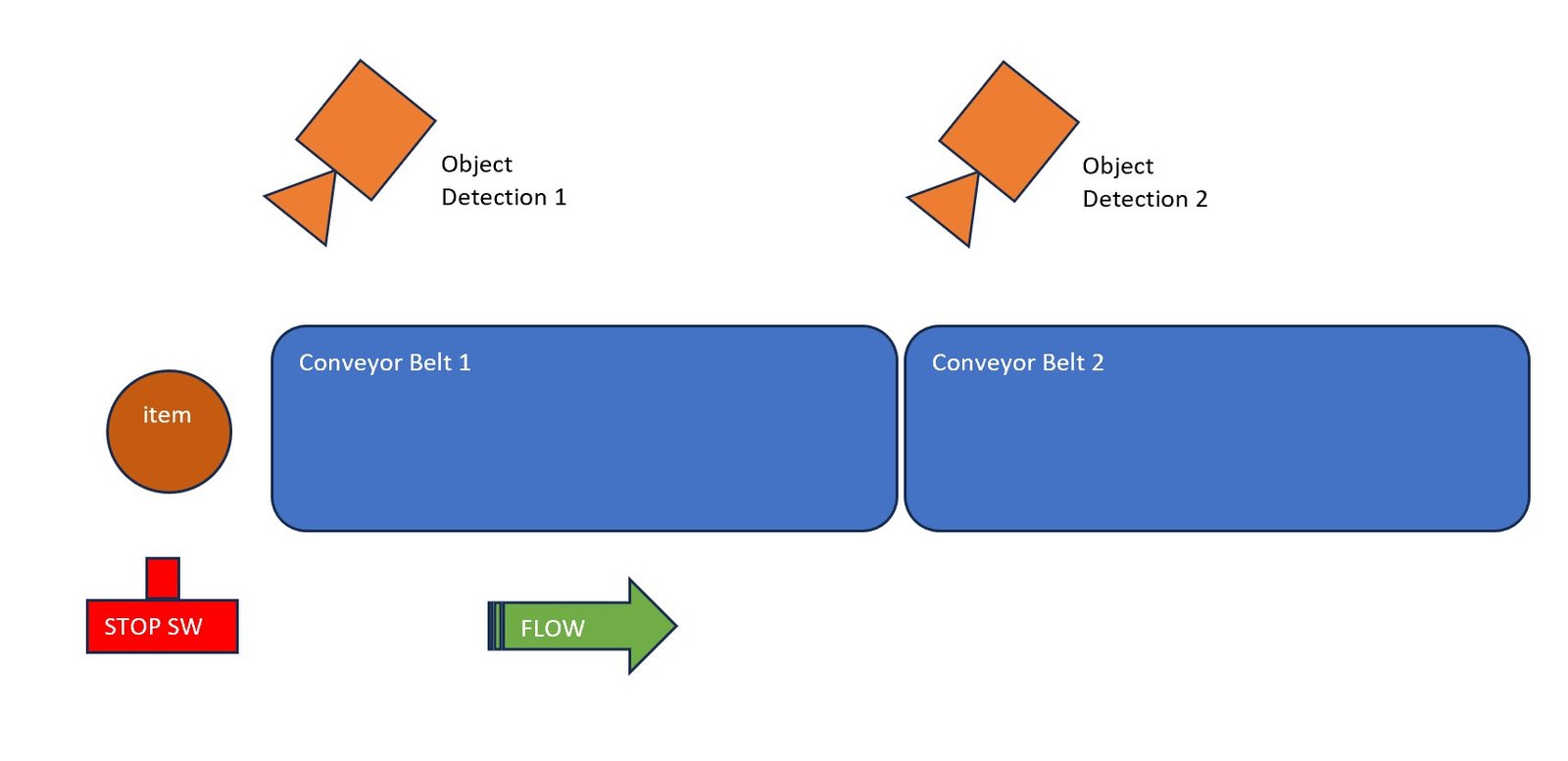
Aplikasi sederhana yang dibuat menggunakan dua conveyor belt. Setiap belt dilengkapi sensor objek yang akan mendeteksi objek dan menjalankan belt saat objek terdeteksi. Belt pertama disambungkan dengan belt kedua, sehingga belt kedua bergerak saat objek sampai di sana. Kedua belt dapat dihentikan dengan tombol stop (untuk menyederhanakan contoh ini, belt tidak berhenti selain dengan tombol stop). 今回作成したシンプルなアプリケーションは、2 本のコンベアベルトを使用するシステムです。各コンベアベルトには物体検出センサーが設置されており、物体を検知するとベルトが動作します。1 本目のコンベアベルトは 2 本目のコンベアベルトに接続されており、物体が 2 本目のコンベアベルトに到達すると、2 本目のベルトが作動します。また、コンベアベルトはストップボタンによって停止することができます(今回の例を簡略化するため、コンベアベルトはストップボタン以外では停止しない仕様としています)。 The simple application built uses two conveyor belts. Each belt has an object sensor that detects an object and runs the belt once detected. The first belt is connected to the second, so the second belt moves once the object reaches it. Both belts can be stopped with a stop button (to keep this example simple, the belts don't stop except via the stop button).
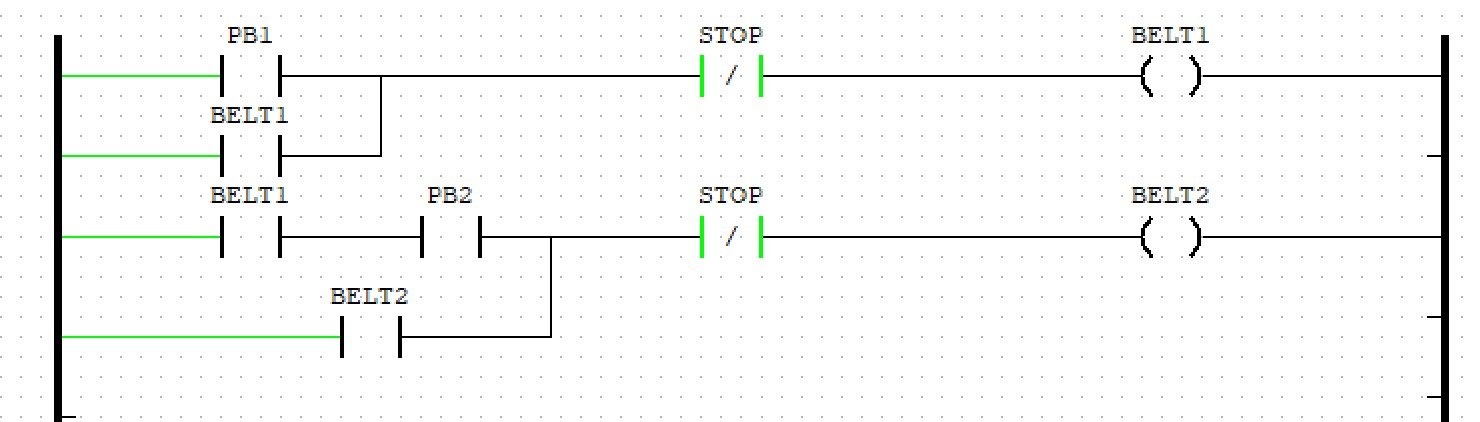
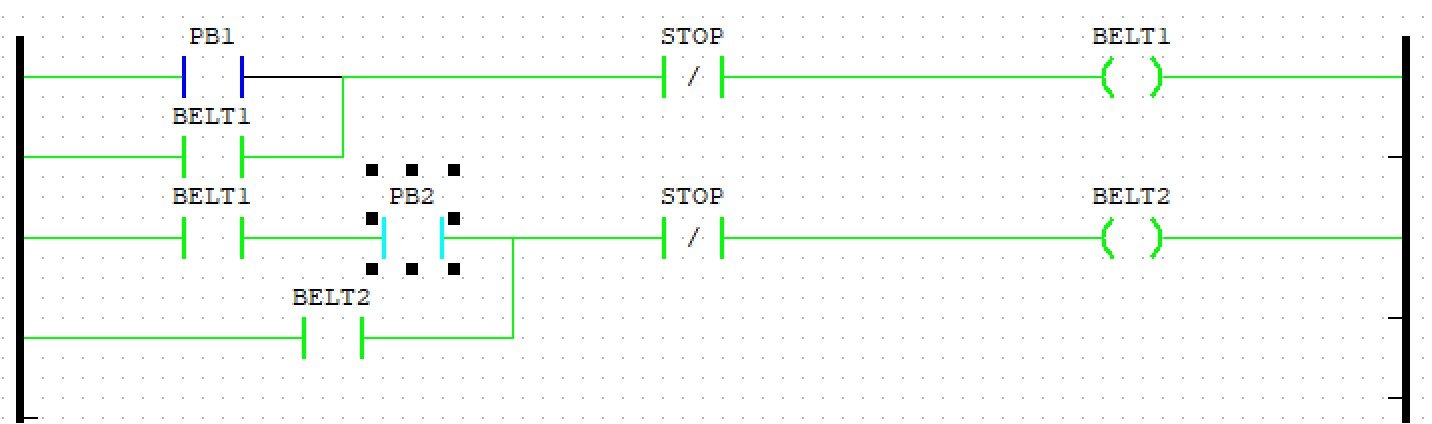
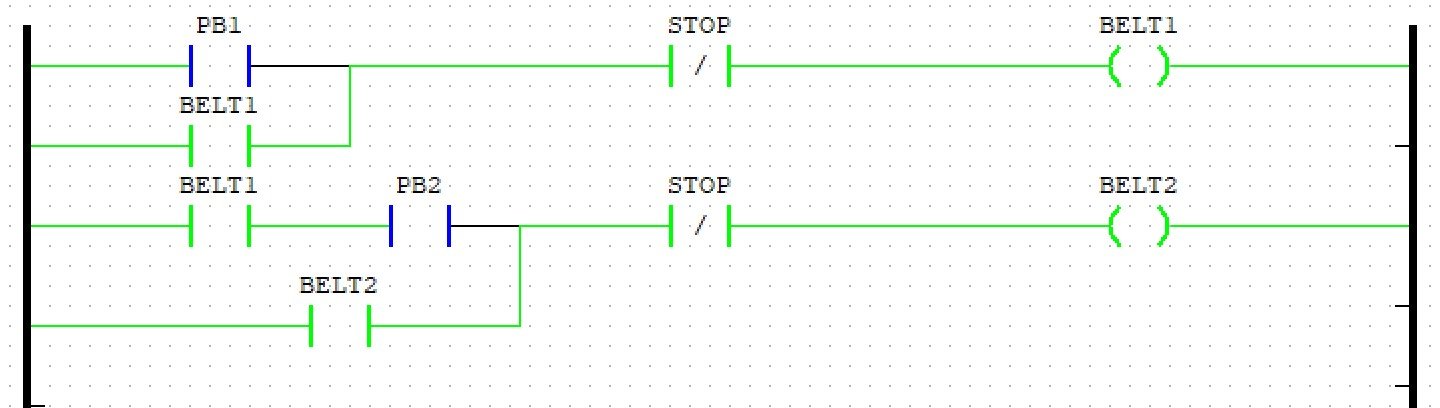
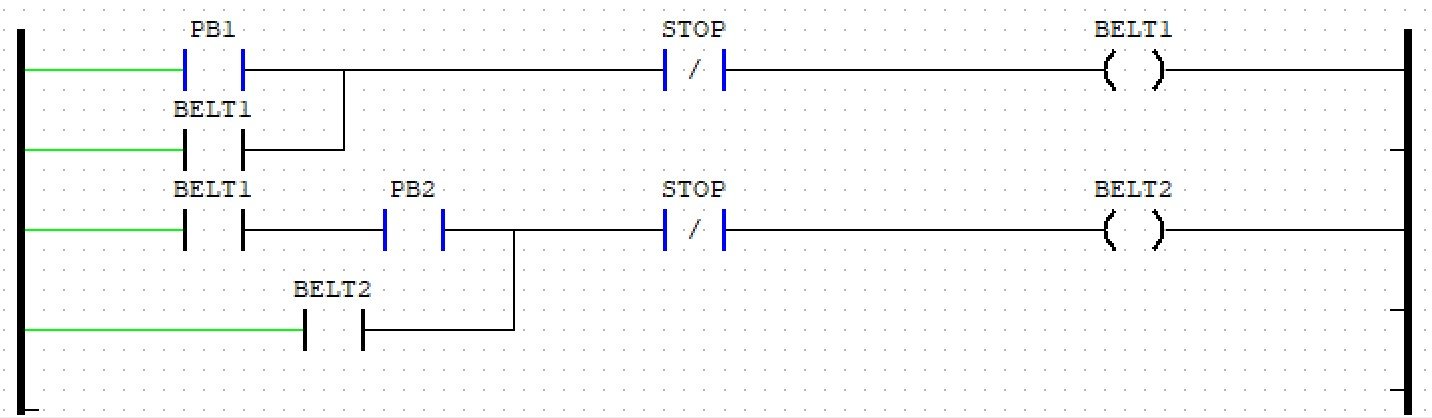
Program LD yang dibuat untuk aplikasi di atas adalah sebagai berikut: 上記アプリケーションのために作成した LD プログラムは以下の通りです。 The LD program built for the application above is as follows:
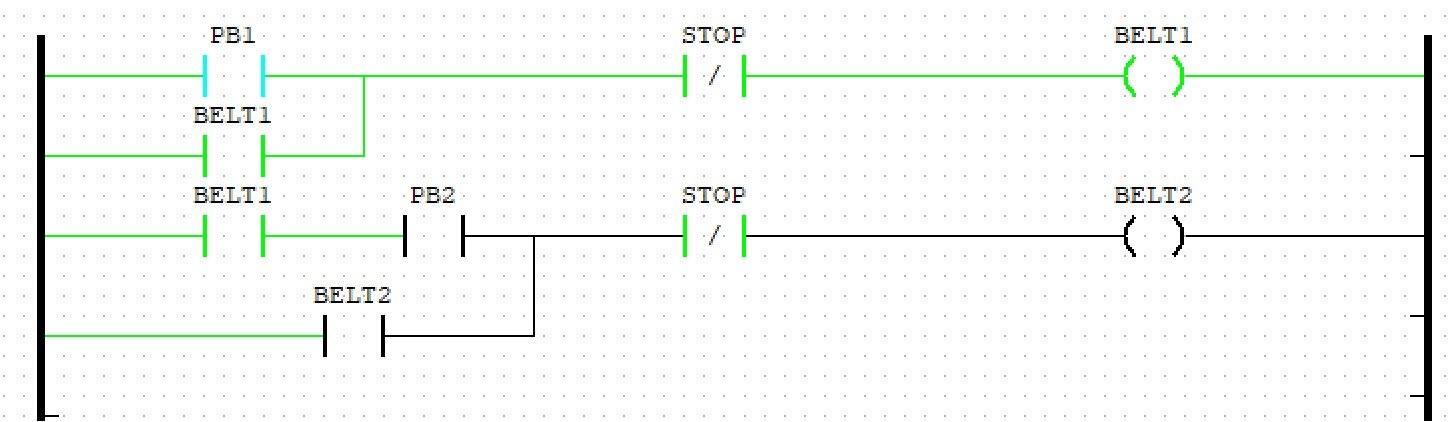
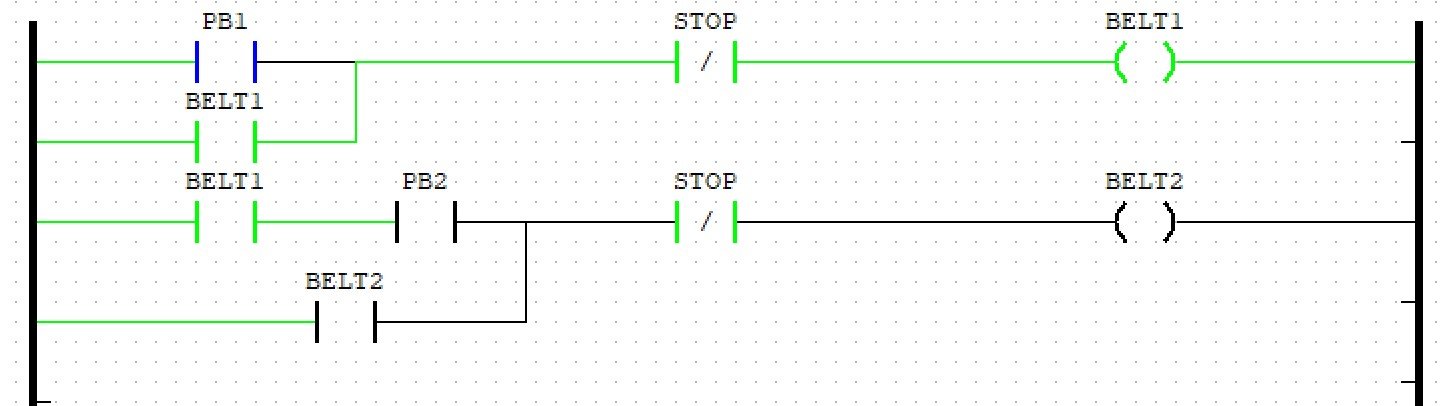
Program LD dapat dimasukkan ke dalam ESP32, sehingga uji coba operasi adalah sebagai berikut: LD プログラムを ESP32 に書き込むことで、次のような動作確認ができます。 The LD program can be loaded onto the ESP32, so the operation test proceeds as follows:
Di ISS, kami dapat memberikan solusi otomasi untuk manufaktur Anda dengan menggunakan PLC — untuk beragam skala bisnis dari UMKM hingga pabrik skala besar. ISS では、PLC を活用した製造業向けの自動化ソリューションを提供しています。中小企業から大規模工場まで、さまざまなビジネス規模に対応可能です。 At ISS, we provide automation solutions for your manufacturing using PLCs — for businesses ranging from SMEs to large-scale factories.